- Austin's Newsletter
- Posts
- The skill you'll regret not learning
The skill you'll regret not learning
In 2026, you can't ignore this. The AI Playbook, Vol. 5

Austin Marchese
March 19, 2026
Four months ago, I posted a video about Claude Skills. Most people weren't ready for it.
Now it's completely changed how I work and it made something obvious.
Everyone's becoming a developer. Just not the way you think.
Not writing software. Not vibe coding. But creating operational code - the systems, logic, and workflows that run your day-to-day.
By the end of this, you'll know exactly how to use Claude Skills and create your own Personal Operating System.

Here’s how Claude Skills fits into the AI world. Explained using…a sports analogy.
An AI prompt is like telling a player exactly what to do. "Dribble left, pass, now shoot."
Training Data is the scouting report. The more your AI knows, the better it performs.
A skill (or Claude Skill in this case) is a play your team has practiced and can run on autopilot.
Your Operating System
What we’re creating isn’t software code, but operational code.
Tech companies are valuable because of their codebase. This is the same idea, but for your life. You're creating a codebase that is your intellectual property that can compound over time.
That sounds fancy, but really, it's just files in a specific format that makes it easy for AI to work with.
Most people use something like Google Drive. Great for humans, but not great for AI. It can search your docs, maybe summarize them, but it can't really work inside them.
The structure is three parent folders: knowledge (specific training data), skills (repeatable tasks), and projects (what you’re working on). Also, I've created an exact template for you to copy - linked later in this email.
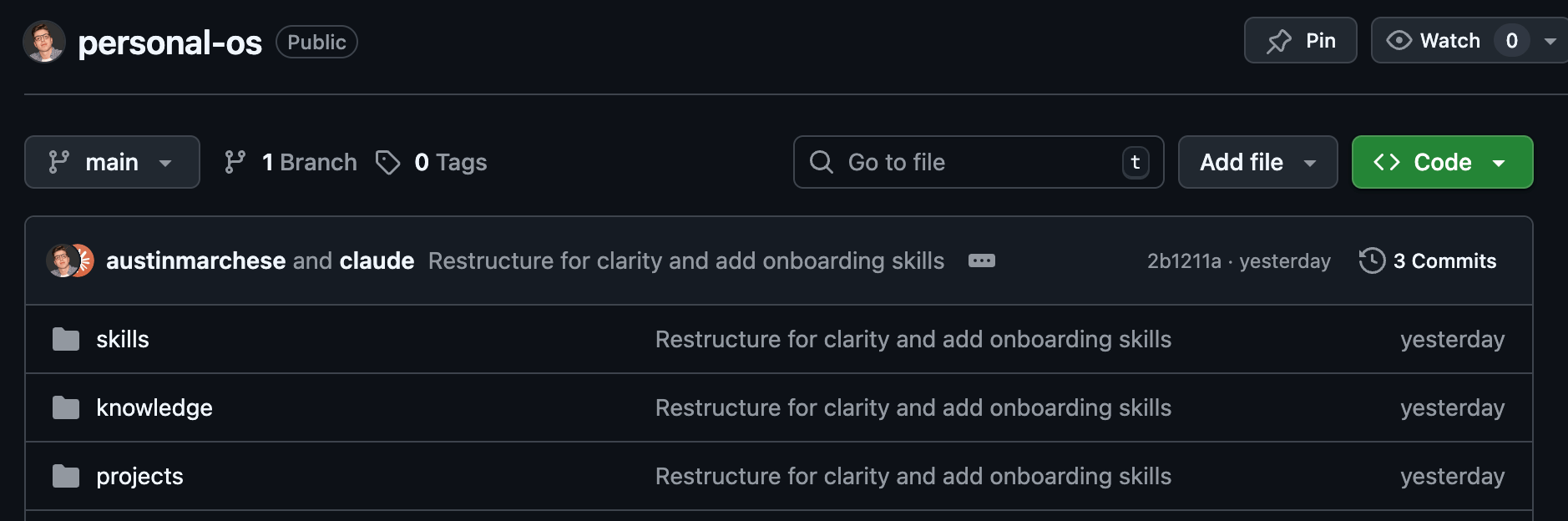
template personal-os to copy
I know this looks like code. It's not - it's just folders and .md files (AI-friendly text files).
This is the foundation, but how do you work with this and how does it actually become valuable?
How To Use It?
After downloading the files, you will use specific Claude Skills to create a compounding system.
Note: Anytime I use a / that denotes a Claude skill. For example /daily-journal is the daily-journal Claude skill.
When I run /daily-journal it saves my learnings to knowledge/lived-experiences/ folder
When I run /brainstorm-project, it reads from lived-experiences/ folder to give me ideas on what to work on based on past experiences.
When I'm writing something, Claude reads knowledge/voice.md so it matches how I actually talk.
I don't have to remember everything. The system remembers.
The Scaled Version: Business Proof
I've started to integrate this operating system across my business (which helps other businesses integrate AI).
Here's a perfect example of the impact this can have.
I work with an engineering firm that produces carbon emissions reports for NYC buildings. Local Law 97 compliance. These reports used to take weeks. Now under 5 minutes with one Claude Skill.
/ll97-report-generator
Pass it a folder with building energy data. It reads the files, calculates emissions, checks compliance, generates a branded PDF.
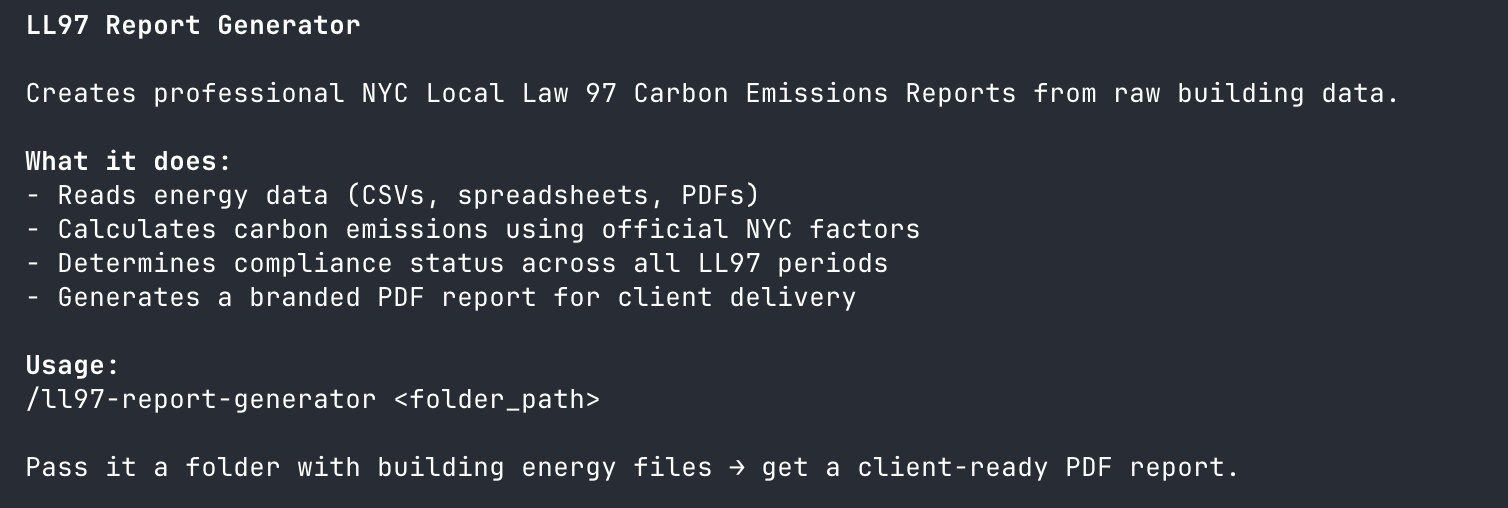
Claude code skill for generating local law 97 report
Then I run /improve-skill so any learnings from each report automatically updates the skill. The same mistakes don't happen twice.
This skill is now intellectual property. Documented once, running forever. It scales infinitely without having human capital limitations.

Step 1: Clone the repo and open it
git clone https://github.com/austinmarchese/personal-os.git
cd personal-os
claude
This is how you can build off the template I created, if you don’t have git installed, you can download the files directly from github.
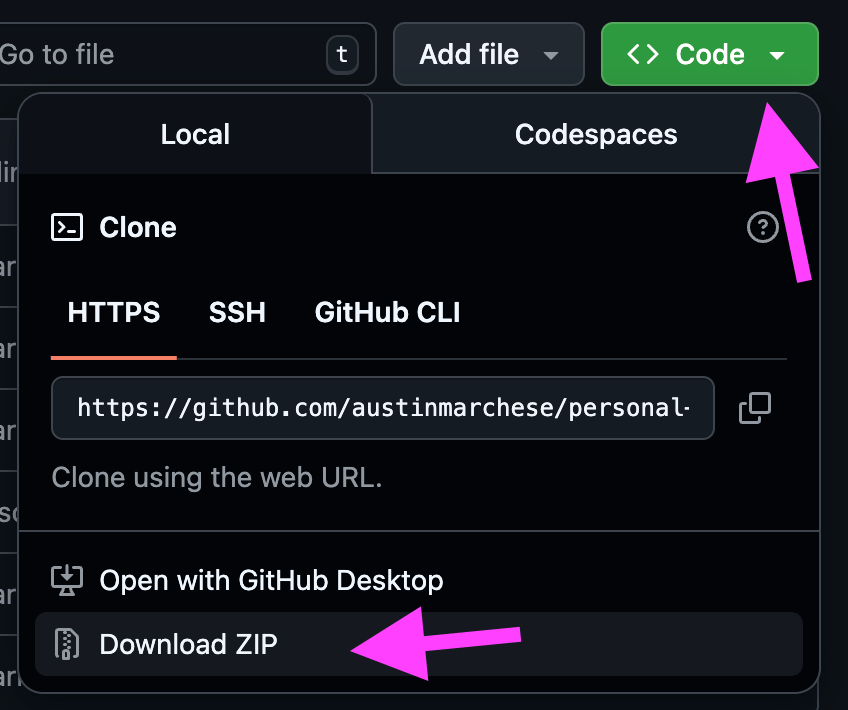
download instructions
That last command opens Claude Code. If you don't have it installed run npm install -g @anthropic-ai/claude-code
I use Obsidian to view and edit the files (it makes markdown easy to navigate), but any text editor works.
Step 2: Run /interview-me to build your profile
This skill walks you through a series of questions: who you are, what you do, how you work, and what frustrates you.
Takes about 20 minutes. Pro tip: Use Whisperflow or Hex (I use Hex) to speak your answers instead of typing. I literally use this 24-7. I rarely type anymore.
The answers get saved to your knowledge/me/ folder. Now AI knows your context.
Step 3: Create your first skill
Before you build a skill, you need to understand the workflow. You can't teach AI something you haven't documented.
It's a free browser extension that you download, hit capture, and then start clicking through whatever process you are completing. It will take screenshots and document each step you take.
(Also, they are a sponsor of mine, so make sure to click this link and download the free plugin. I've used the tool for over 3 years, it's bangers, you're welcome)
Once you have that documentation, run /create-skill and paste it in. Or try this prompt:
"Based on my interview-me profile, what are some skills I should create?"
Step 4: Use /daily-journal at the end of the day for a week
Two minutes a day. End of day, run /daily-journal. Claude asks what happened, what you learned, and what you'd do differently.
These entries accumulate in knowledge/lived-experiences/. Over time, AI has your actual experiences to reference so it won't give some random generic advice.
This is what makes the system compound.
This may sound “complicated,” but it’s very simple and once you do it you’ll realize…
Everyone is a developer now.
Not because everyone writes code, but because now you can turn what you work on into something repeatable.
So Clone the repo. Download Tango, Run /interview-me. Create your first skill.
That's the foundation. Everything else builds from there.
See you next newsletter.
- Austin